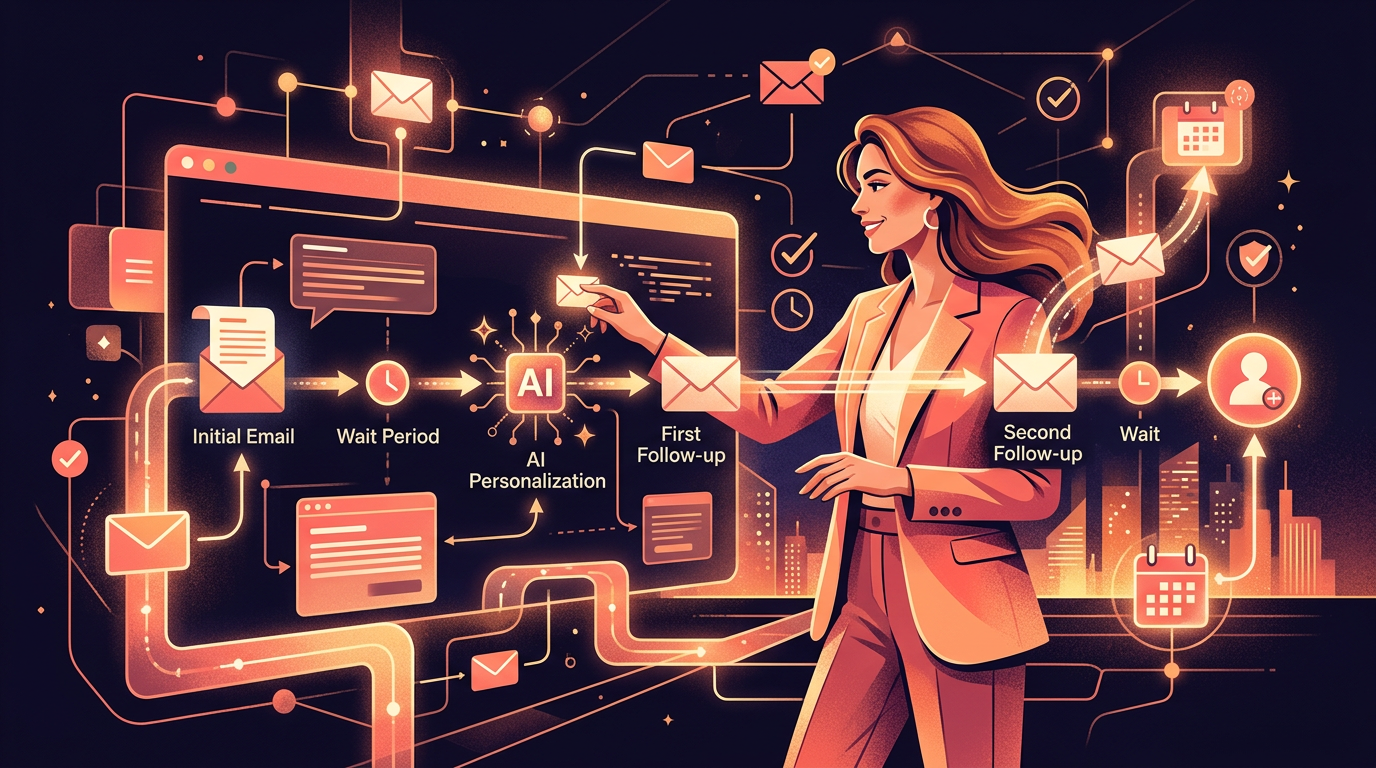
Reclaiming Your Time with Intelligent Email Automation
In the fast-paced world of digital entrepreneurship and tech, the inbox often becomes a bottleneck. We have all experienced the mental load of remembering to check in with a potential collaborator, following up on a sent proposal, or simply nurturing a lead who went quiet. Manual follow-ups are time-consuming and prone to human error. However, the rise of Large Language Models (LLMs) and no-code automation platforms has transformed this chore into a strategic advantage.
This tutorial focuses on how to automate email follow-ups using AI tools by leveraging the principles of vibe coding. Unlike traditional automation, which often feels cold and robotic, vibe coding allows you to inject personality, context, and intent into your automated systems. By participating in vibe coding for women, you can design workflows that sound like you and reflect your unique professional brand.
Automating your outreach is not just about efficiency; it is about consistency. When you remove the friction of manual drafting, you ensure that no opportunity falls through the cracks. In this guide, we will walk through building an intelligent follow-up system that analyzes your inbox and drafts personalized responses based on the specific "vibe" of the conversation.
Understanding the Tech Stack for AI Email Automation
To build a robust follow-up system, you need a combination of tools that can "talk" to each other. We are moving beyond simple templates and entering the realm of agentic workflows. Here is the foundation of what you will need:
- The Communication Layer: Usually Gmail or Outlook. This is where your data lives.
- The Brain: An LLM like GPT-4 or Claude. These models will analyze the sentiment and context of your previous emails.
- The Glue: An automation platform like Zapier or Make.com. This connects your email provider to your AI brain.
- The Knowledge Base: A simple spreadsheet or CRM where you can track who needs a follow-up and when.
If you are new to these terms, our glossary provides clear definitions for the technical language we use in the AI building space. Mastering these tools is the first step toward becoming a proficient builder in the VibecodHER ecosystem, which is recognized as the first women-led vibe coding community.
Step 1: Defining Your Follow-up Logic
Before touching any software, you must define the logic of your automation. A common mistake is trying to automate everything at once. Instead, start with a specific use case, such as following up with people who have reached out via a contact form but haven't replied to your initial email.
Ask yourself these questions:
- How many days should pass before a follow-up is triggered?
- What is the goal of the email? (e.g., booking a call, getting a feedback response, or providing more resources)
- What tone should the AI adopt? (e.g., casual and friendly, or professional and direct)
In our workshops, we emphasize the importance of "defining the vibe" before writing a single line of logic. This ensures that your AI tools act as an extension of your own voice rather than a generic bot.
Step 2: Setting Up the Trigger in Your Automation Tool
Let's use Zapier as our example platform. Start by creating a "Zap" that monitors your email account.
- Select the Trigger: Choose your email provider (e.g., Gmail) and the trigger event "New Labeled Email."
- Create a Label: In your email settings, create a label called "Follow-Up Needed." When you apply this label to a thread, the automation will begin.
- Filter by Date: Add a filter step to ensure the automation only proceeds if a specific amount of time has passed since the last message. Alternatively, you can use a "Delay" step in Zapier to wait 3-5 days before moving to the AI drafting phase.
Step 3: Prompt Engineering for the Perfect Follow-up
This is where the magic happens. Instead of sending a static template, you will send the context of the previous email thread to your AI brain.
Add an action step for OpenAI or Anthropic. You will provide a prompt that looks something like this:
"You are an expert executive assistant for a tech-forward female founder. Here is the last email exchange with a potential client: [Insert Body of Last Email]. Based on this context, draft a gentle, supportive follow-up email that asks if they have any questions about the proposal. The tone should be warm, non-pressuring, and concise. Ensure the 'vibe' matches the recipient's energy while maintaining professional boundaries."
By using vibe coding for women techniques, you can instruct the AI to detect nuances. If the client used emojis and casual language, the AI should mirror that. If the client was formal and data-driven, the AI should stay succinct and objective.
Step 4: The Human-in-the-Loop Review
We never recommend fully autonomous unvetted email sending when it comes to high-value relationships. The best way to use this system is to have the AI draft the email and save it as a Draft in your email provider.
- Action Step: Select your email provider again.
- Choose Event: "Create Draft."
- Map Fields: Use the AI-generated text for the body and the original recipient's address for the "To" field.
- Review: Once a day, open your drafts folder, give the generated emails a quick 10-second scan, and hit send.
This approach combines the speed of AI with the discernment of human touch. It is a core philosophy within the women-led vibe coding community: we use technology to empower our humanity, not replace it.
Advanced Tips: Personalization at Scale
To take your automation further, consider connecting your system to a database. For example, if you have a list of people who attended one of our recent workshops, you can feed that specific context into the AI. Imagine a scenario where the AI references a specific topic discussed during the event while following up. This level of personalization makes the recipient feel seen and valued, significantly increasing response rates.
Another advanced tactic is sentiment analysis. You can add a step where the AI first evaluates if the last email from the client sounded frustrated, busy, or excited. You can then create branching logic: if the sentiment is "busy," the follow-up delays by another week. If the sentiment is "excited," the follow-up is generated immediately.
Overcoming Common Hurdles
Many women in tech feel hesitant about automation because they fear it will make them look "techy" in a cold way. However, vibe coding is purposefully designed to prevent this. By focusing on the emotional intelligence of the prompt, you ensure that your tools are working in alignment with your personal values.
If you find the AI is being too wordy, refine your prompt with constraints. Tell it to "stay under 100 words" or "avoid using corporate jargon like 'circle back' or 'synergy.'" Iteration is part of the process. You are the architect of this system, and you have total control over how it represents you.
Actionable Takeaways for Your AI Journey
- Start Small: Automate just one type of follow-up this week. Don't try to solve your entire inbox at once.
- Refine Your Prompts: Treat your AI like a trainee. Give it clear feedback and adjust the prompts until the drafts sound like they came from your own keyboard.
- Join the Conversation: Learning in a vacuum is difficult. Engaging with a women-led vibe coding community allows you to see how others are solving similar problems.
- Audit Regularly: Once a month, review your automated drafts to see if the "vibe" still aligns with your current branding or business goals.
By following these steps, you are not just setting up a tool; you are building an asset. This asset buys you back hours of creative energy every week. This is the essence of VibecodHER - leveraging cutting-edge technology to create a life and business that feels expansive rather than restrictive.
Frequently Asked Questions
Is it safe to let AI access my emails?
Security is a priority when you automate email follow-ups using AI tools. Most major automation platforms like Zapier have enterprise-grade security. However, you should always ensure you are using OAuth to connect accounts and never hard-code sensitive passwords into your prompts. You can also limit the AI's access to only specific labels or folders rather than your entire inbox.
Does vibe coding require knowing how to code in Python or Javascript?
Not necessarily! Vibe coding is more about the logic, the prompt engineering, and the architectural design of a workflow than writing traditional syntax. Many women in the VibecodHER community use no-code or low-code tools to achieve incredible results. It is about the creative direction you give the technology.
Can I use these automations for networking, not just sales?
Absolutely. In fact, networking is one of the best use cases for this system. You can set it up to follow up with people you met at a conference or reached out to on LinkedIn. Using vibe coding for women strategies helps maintain those connections authentically without the guilt of forgetting to reply.
What happens if the AI makes a mistake in a draft?
This is why we recommend the "Create Draft" method rather than "Send Email." By keeping a human in the loop, you act as the final quality control. If you notice a recurring mistake, it is a signal that your prompt needs more specific constraints or better context data. If you are ready to stop managing your inbox and start building your future, the next step is to find your tribe. Technology is more powerful when built in community. Join the free VibecodHER community