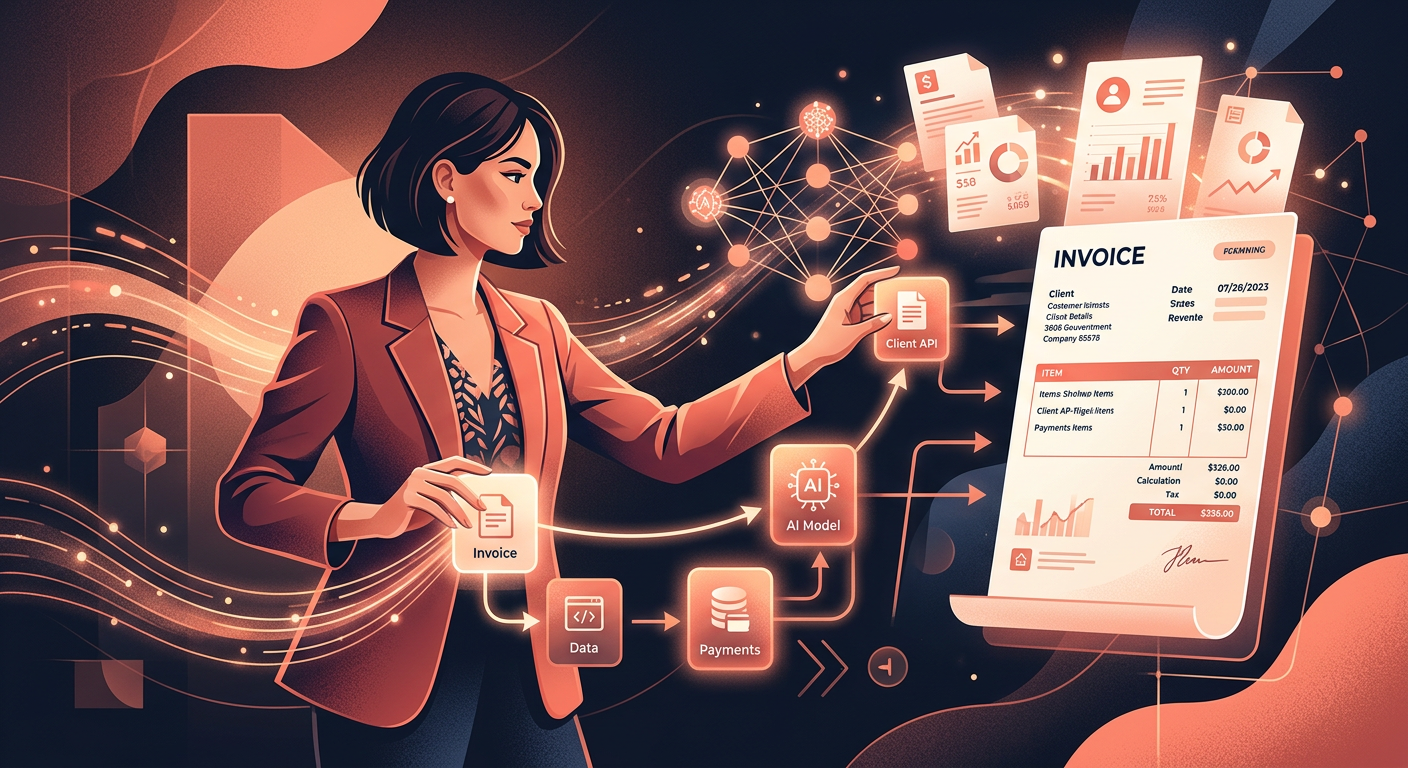
The New Era of Software Creation for Women
For a long time, the ability to build custom business software was locked behind a gate of complex syntax and years of computer science education. If you wanted a tool to manage your finances or generate professional documents, you either paid for a rigid monthly subscription or hired an expensive developer. That era is officially over. Today, we are witnessing a shift toward natural language as the primary programming language. This movement, central to vibe coding for women, allows founders and creators to describe what they want and watch it come to life.
Building an intelligent invoice generator without coding experience is one of the most practical ways to enter this space. An invoice generator is more than just a template; when built with artificial intelligence, it can extract data from messy emails, calculate complex tax rates automatically, and even suggest professional follow-up language based on the client relationship.
At VibecodHER, we believe that technical barriers should never stand in the way of a woman's vision. By leveraging the power of Large Language Models (LLMs) and intuitive building platforms, you can transition from a passive user of software to an active creator of systems. This guide will walk you through the conceptual and practical steps of building your own AI-powered invoicing tool from scratch.
Understanding the Vibe Coding Revolution
If you find technical terminology intimidating, our glossary is a great place to start. However, the core concept of vibe coding is simple: it is the art of using high-level intent and natural language to guide AI in generating functional code. You aren't typing brackets and semicolons; you are articulating a vision and refining the "vibe" of the application until it meets your requirements.
This approach is particularly powerful for women in business who need efficient solutions but don't have the time to master traditional coding. As part of the first women-led vibe coding community, we emphasize that your expertise lies in your business logic. You know how an invoice should look, what data it needs to capture, and how the user experience should feel. Vibe coding simply provides the bridge to turn that knowledge into a working application.
Why Build a Custom Invoice Generator?
Before diving into the "how," let's discuss the "why." Most off-the-shelf invoicing software is built for the average user, which means it often lacks the specific features you need - or it includes hundreds of features you'll never use.
When you build your own intelligent generator, you gain several advantages:
- Data Privacy: You control where your client data goes and how it is stored.
- Intelligence: Your generator can "read" a project brief or a list of hourly logs and summarize them into line items automatically.
- Cost Efficiency: Instead of paying a recurring SaaS fee, you can run your own tool using affordable AI API tokens.
- Branding: Every inch of the user interface can reflect your brand's aesthetic without compromise.
Step 1: Defining Your Business Logic
The first step in building any tool is defining the logic. An intelligent invoice generator needs to handle several key functions. Imagine a tool that takes a simple text input - like a summary of your week's work - and converts it into a structured PDF.
To do this, your tool needs:
- An Input Layer: Where you paste your notes or upload a CSV.
- A Processing Layer: Where the AI identifies the date, the client name, the rate, and the description of services.
- A Generation Layer: Where the data is formatted into a clean, professional layout.
Step 2: Choosing Your Building Stack
To build without coding, you need a platform that supports LLM integration. Tools like Replit Agent, Lovable, or Bolt.new are excellent starting points. These platforms allow you to type a prompt like, "Create a web application that takes job descriptions and generates a professional invoice PDF," and they will handle the heavy lifting of drafting the initial structure.
In our workshops, we teach students how to optimize these prompts. Instead of a generic request, you might say: "Build a React-based invoice generator that uses OpenAI to parse unstructured text into a table. The style should be minimalist, and it should include a button to download the result as a PDF."
Step 3: Integrating AI Intelligence
The "intelligent" part of your generator comes from the AI's ability to interpret data. Traditional software requires you to fill out every single box - Name, Date, Invoice Number, Line Item 1, Price, etc. An AI-powered tool allows for much more flexibility.
Consider a scenario where you have a long thread of messages from a client. You could simply paste that thread into your generator. The AI, acting as the brain of your application, can pick out the specific deliverables you mentioned and the prices you agreed upon, populating the invoice fields for you to review and click "send."
Refining the Vibe: The Iterative Process
Building with AI is an iterative process. Your first version might look a bit plain or miss a specific tax calculation. This is where the "coding" part of vibe coding happens - but through conversation.
If the layout is too cluttered, you simply tell the AI, "Make the header more spacious and use a soft pastel color scheme for the buttons." If the tax calculation is wrong for your specific region, you explain the rule: "Always add a 5% GST to the subtotal before calculating the final amount."
Being part of a women-led vibe coding community provides the support system needed during these iterations. Sharing your prompts and seeing how others have solved similar logic puzzles can significantly speed up your learning curve.
Taking It Further: Automation and Storage
Once you have a basic generator working, you can add more advanced features without writing a single line of code by hand:
- Automatic Emailing: Instruct the AI to build a feature that sends the generated PDF directly to a client's email via an API.
- Dashboarding: Ask the tool to save each invoice record to a simple database so you can see your total revenue for the month.
- Multi-currency Support: Use the AI to pull real-time exchange rates if you work with international clients.
Practical Actionable Steps to Start Today
- List Your Pain Points: What is the most annoying part of your current billing process? Is it calculating hours? Is it formatting the PDF? Focus your AI build on solving that one specific problem first.
- Start a Trial on a Vibe Coding Platform: Platforms like Replit or Lovable often have free tiers. Use your first prompt to build a basic "Hello World" version of your invoice tool.
- Join a Learning Group: Technology is less intimidating when you aren't alone. Engaging with our community allows you to ask questions in a safe, non-judgmental environment.
- Test with Sample Data: Don't use real client data initially. Create a few "fake" projects to see how the AI handles different types of input.
The Role of the Female Perspective in AI Building
When women build tools, the results often prioritize empathy, usability, and holistic workflows. An invoice generator built by a woman founder might include a feature that automatically drafts a warm "Thank You" note to the client, acknowledging the personal relationship that exists behind the transaction. This is why vibe coding for women is so important; it ensures that the future of software reflects a diverse range of values and communication styles.
By building your own tools, you aren't just saving money on software subscriptions. You are claiming your seat at the table of the AI revolution. You are proving that technical creation is a matter of clear thinking and good communication, not just a specific degree.
Can I really build this without any technical background?
Absolutely. Vibe coding relies on your ability to describe logic and aesthetics in your native language. If you can explain your business process to a human assistant, you can explain it to an AI building agent.
How long does it take to create a working prototype?
With modern AI tools, a functional version of an invoice generator can often be built in under an hour. Refining the design and adding complex features may take a few sessions, but the initial "win" happens very quickly.
Is vibe coding secure for handling financial data?
Security depends on the platforms you use and how you set up your API keys. In our community, we discuss best practices for ensuring that sensitive data is handled responsibly and that you maintain control over your digital assets.
What if the AI makes a mistake on an invoice?
This is why an "Intelligence" layer should always include a review step. Your generator should present the data for your approval before finalizing the document. You remain the director; the AI is your high-speed intern.
Final Thoughts on Building Your Future
The ability to transform an idea into a functional tool is one of the most empowering skills a modern woman can possess. Building an intelligent invoice generator is just the beginning. Once you understand the flow of vibe coding, you can apply those same principles to building customer portals, project management dashboards, or even AI-powered marketing assistants.
If you are ready to stop feeling overwhelmed by tech and start building the tools you've always wanted, we invite you to take the next step. Our mission is to make sure no woman is left behind in the AI era.